


As an Amazon Associate, We earn from qualifying purchases.
Wi-Fi light bulbs integrate a miniature computer, Wi-Fi radio, and LED lights into one unit. They connect directly to your home’s Wi-Fi network, allowing you to control them remotely via a smartphone app, voice assistant, or smart home hub. This seamless connectivity enables features like dimming, color changes, scheduling, and automation, transforming your lighting experience with ease and intelligence.
Welcome to the future of home lighting! Remember the days when a light switch was just… a light switch? Well, those days are quickly becoming a nostalgic memory, thanks to the incredible innovation of smart home technology. Among the most popular and accessible smart devices are Wi-Fi light bulbs. They’re more than just simple illumination; they’re tiny tech marvels that bring convenience, ambiance, and a dash of magic right into your living space.
You might have already experienced the joy of dimming your lights from the couch, changing their color to match your mood, or having them turn on automatically when you arrive home. But have you ever stopped to wonder, “How does a Wi-Fi light bulb actually work?” It seems almost magical that a humble light bulb can respond to your voice or a tap on your phone, even when you’re miles away. The truth is, it’s not magic, but rather a clever integration of several technologies working in harmony.
In this comprehensive guide, we’re going to pull back the curtain and demystify the inner workings of these fascinating devices. We’ll explore what’s inside a Wi-Fi light bulb, how it connects to your home network, the different ways you can control it, and all the amazing things it can do. Get ready to illuminate your understanding of how a Wi-Fi light bulb works and truly appreciate the brilliance behind your smart home’s glow!
Key Takeaways
- Core Components: A Wi-Fi light bulb contains a miniaturized computer (microcontroller), a Wi-Fi communication module, and energy-efficient LED lights, all integrated into a standard bulb form factor.
- Direct Home Network Connection: Unlike some smart lighting systems, most Wi-Fi light bulbs connect directly to your home’s existing Wi-Fi network, usually without the need for a separate hub or bridge.
- Remote Control and Automation: You can control these bulbs from anywhere using a dedicated smartphone app, voice commands via assistants like Alexa or Google Assistant, or by integrating them into a broader smart home ecosystem.
- Advanced Features: Beyond simple on/off, Wi-Fi light bulbs offer dimming, tunable white light (warm to cool), millions of color options (RGB), scheduling, scene creation, and automation based on various triggers.
- Always-On Power Requirement: To remain connected to your Wi-Fi network and respond to commands, Wi-Fi light bulbs need a constant, albeit minimal, power supply, even when “off” in terms of light output.
- Simple Setup: The initial setup typically involves screwing in the bulb, downloading the manufacturer’s app, and following a guided pairing process to connect it to your Wi-Fi network.
Quick Answers to Common Questions
Do I need a hub for Wi-Fi light bulbs?
No, most Wi-Fi light bulbs connect directly to your existing home Wi-Fi network and do not require a separate smart home hub or bridge, making setup simpler.
Can I control them away from home?
Yes, as long as your Wi-Fi light bulbs are connected to the internet through your home Wi-Fi network, you can control them remotely using their smartphone app from anywhere with an internet connection.
What if my Wi-Fi goes down?
If your Wi-Fi network is down, your Wi-Fi light bulbs will lose their smart functionality and will likely only be controllable via a physical wall switch, reverting to their last known state or default setting.
Are Wi-Fi light bulbs energy efficient?
Yes, Wi-Fi light bulbs use LED technology, which is highly energy-efficient and long-lasting. While they consume a tiny amount of power in standby mode to maintain their Wi-Fi connection, their overall energy consumption is very low compared to traditional bulbs.
Are they difficult to install?
No, Wi-Fi light bulbs are generally very easy to install. You simply screw them into a standard light socket and then follow the pairing instructions in the manufacturer’s smartphone app to connect them to your Wi-Fi network.
📑 Table of Contents
- The Anatomy of a Smart Bulb: What’s Inside?
- Connecting the Dots: How Wi-Fi Light Bulbs Talk
- Control Mechanisms: Taking Charge of Your Light
- Beyond On/Off: What Can a Wi-Fi Light Bulb Do?
- Powering the Intelligence: Why Always On Matters
- Benefits and Considerations: Is a Wi-Fi Light Bulb Right for You?
The Anatomy of a Smart Bulb: What’s Inside?
At first glance, a Wi-Fi light bulb looks pretty much like any other bulb, perhaps a little heavier or with a slightly different shape. But inside that familiar casing lies a sophisticated array of components that transform it from a simple light source into a smart, connected device. Think of it as a miniature, specialized computer packed into a bulb.
LED Array (The Light Source)
First and foremost, a Wi-Fi light bulb is an LED (Light Emitting Diode) bulb. LEDs are incredibly energy-efficient and long-lasting, making them the perfect choice for smart lighting. Instead of a single filament, an LED bulb contains an array of tiny LEDs. For basic dimmable white Wi-Fi light bulbs, these are typically white LEDs. For color-changing Wi-Fi light bulbs, you’ll find a mix of red, green, blue (RGB) LEDs, often alongside dedicated white (W) or cool/warm white (CCT) LEDs, allowing for millions of color combinations and a wide spectrum of white light. Each LED can be controlled individually or in groups to achieve the desired brightness and color.
The Microcontroller (The Brain)
This is the “computer” inside your Wi-Fi light bulb. A microcontroller is a small, integrated circuit that acts as the bulb’s brain. It’s responsible for processing all the instructions sent to the bulb. When you tap a button on your app to dim the light or change its color, the microcontroller receives this command. It then translates that instruction into specific signals that control the LED array, adjusting their brightness or color output. It also manages the Wi-Fi module, handles communication protocols, and stores settings like scheduled routines.
The Wi-Fi Module (The Communicator)
This is the key component that earns the “Wi-Fi” in “Wi-Fi light bulb.” The Wi-Fi module is a small radio transceiver that allows the bulb to communicate wirelessly with your home’s Wi-Fi router. It’s essentially a tiny antenna and circuit board that enables the bulb to join your local network, send data, and receive commands over the internet. This module handles all the network protocols, ensuring a stable and secure connection. Without it, your smart bulb would just be a regular, non-smart LED bulb.
Power Supply and Driver
Like all electronic devices, the internal components of a Wi-Fi light bulb need a stable power supply. This section of the bulb converts the standard AC (alternating current) electricity from your home’s wiring into the low-voltage DC (direct current) power required by the LEDs, microcontroller, and Wi-Fi module. The driver circuitry also precisely regulates the current flowing to the LEDs, which is crucial for controlling their brightness and ensuring their longevity. This part of the bulb is designed to be highly efficient, minimizing energy waste even when the light is “off” but still connected to Wi-Fi.
Connecting the Dots: How Wi-Fi Light Bulbs Talk
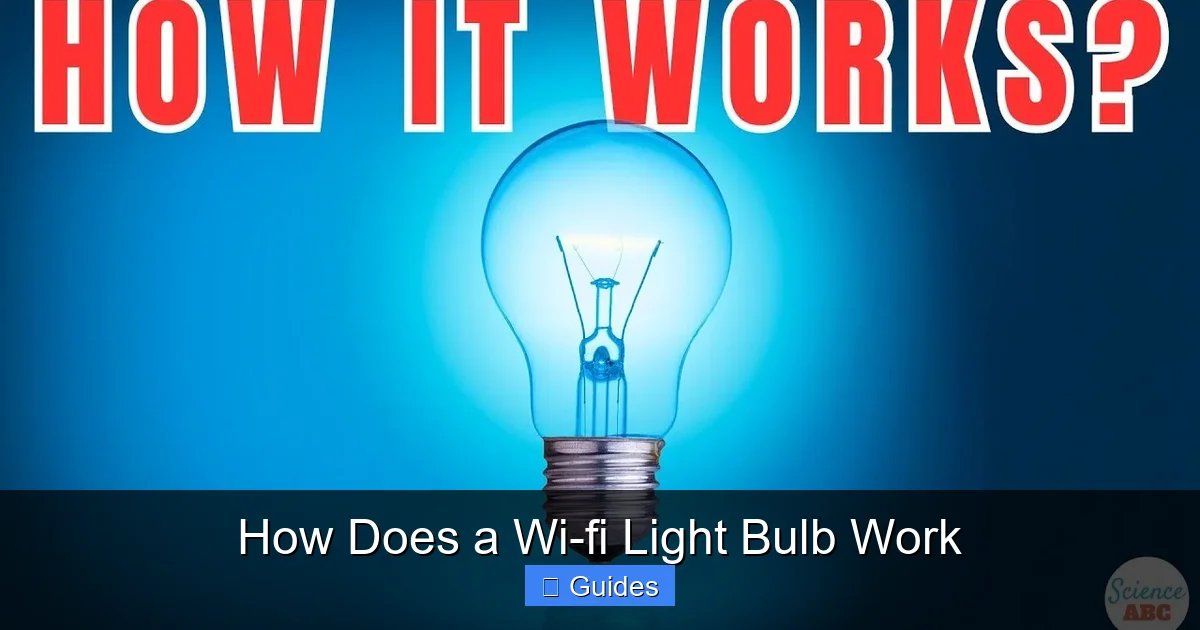
Visual guide about How Does a Wi-fi Light Bulb Work
Image source: i.ytimg.com
Understanding the physical components is one thing, but how do these bulbs actually connect and receive commands? It all hinges on your home’s Wi-Fi network, which acts as the central nervous system for your smart lighting.
Your Home Network: The Central Hub
Most Wi-Fi light bulbs are designed to connect directly to your existing home Wi-Fi network (typically 2.4 GHz frequency). Unlike some smart home devices that require a dedicated bridge or hub to translate signals (like Zigbee or Z-Wave devices), Wi-Fi bulbs bypass this extra step. Your Wi-Fi router acts as the primary gateway, connecting the bulb to the internet and allowing communication between your smartphone app, voice assistants, and the bulb itself. This direct connection makes setup generally simpler and more straightforward.
The Pairing Process: First Steps
Setting up a new Wi-Fi light bulb is usually a user-friendly experience. Here’s a typical process:
- Screw it in: Replace your old bulb with the new Wi-Fi light bulb.
- Power it on: Turn on the light switch. The bulb might flash or pulse, indicating it’s in pairing mode.
- Download the App: Install the manufacturer’s dedicated smartphone app (e.g., Philips Hue, TP-Link Kasa, Govee Home).
- Follow In-App Instructions: The app will guide you through connecting the bulb. This often involves ensuring your phone is on the same 2.4 GHz Wi-Fi network, allowing the app to discover nearby bulbs, and entering your Wi-Fi password to grant the bulb network access.
- Name and Configure: Once connected, you can name your bulb (e.g., “Living Room Lamp”), assign it to a room, and start exploring its features.
This pairing process essentially gives the Wi-Fi light bulb the credentials it needs to join your home network, just like a new smartphone or laptop.
Staying Connected: Always On
For a Wi-Fi light bulb to be truly “smart” and responsive, it needs to maintain a constant connection to your Wi-Fi network. This is why Wi-Fi light bulbs always draw a tiny amount of power, even when the light itself is off. This minimal power keeps the Wi-Fi module and microcontroller active, allowing them to “listen” for incoming commands from the app or voice assistant. If the bulb were to completely power down, it wouldn’t be able to receive instructions and would essentially become “offline” until manually powered on again. This “always listening” state is crucial for instant responsiveness.
Control Mechanisms: Taking Charge of Your Light
The beauty of a Wi-Fi light bulb lies in its versatility of control. You’re no longer limited to flipping a wall switch; now, you have a multitude of ways to manage your lighting, offering unprecedented convenience and flexibility.
Smartphone Apps: Your Remote Control
The most common way to control a Wi-Fi light bulb is through its dedicated smartphone application. After pairing the bulb, the app becomes your command center. From here, you can:
- Turn lights on and off.
- Adjust brightness levels (dimming).
- Change colors or color temperature (warm white to cool white).
- Group multiple bulbs together to control them as one.
- Set schedules and timers.
- Create custom lighting scenes.
These apps are often intuitive, designed with user-friendly interfaces that make managing your lighting as simple as a few taps.
Voice Assistants: Speaking Your Commands
For many, the ultimate convenience comes with voice control. Wi-Fi light bulbs seamlessly integrate with popular voice assistants like Amazon Alexa, Google Assistant, and Apple HomeKit (Siri). Once connected to your chosen smart assistant, you can simply speak commands such as:
- “Alexa, turn on the living room light.”
- “Hey Google, dim the bedroom lights to 50%.”
- “Siri, change the kitchen light to blue.”
The voice assistant acts as an intermediary, receiving your spoken command, translating it, and then sending the appropriate instruction over your Wi-Fi network to the light bulb.
Smart Home Hubs & Ecosystems: The Grand Orchestrator
While many Wi-Fi bulbs don’t *require* a separate hub, they often integrate beautifully into larger smart home ecosystems like Samsung SmartThings, Homey, or IFTTT (If This Then That). These platforms allow you to:
- Automate complex routines: “When my smart door lock is unlocked, turn on the hallway light.”
- Create multi-device scenes: “When I say ‘movie night,’ dim the living room lights, close the smart blinds, and turn on the TV.”
- Control devices from different brands: A smart home hub can often unify control over various smart devices, even if they’re from different manufacturers, as long as they support the same integration protocols.
This level of integration unlocks powerful automation possibilities, making your Wi-Fi light bulb a small but vital part of a larger, interconnected smart home.
Physical Switches (The Traditional Way, but Smarter)
It’s important to remember that a Wi-Fi light bulb still needs physical power. If you turn off a traditional wall switch connected to a smart bulb, you cut its power supply, and it will go offline. However, there are smart solutions for this. You can use smart wall switches that keep power flowing to the bulb but allow you to control it digitally. Alternatively, some smart home systems offer wireless “smart buttons” or remote controls that can be programmed to control your Wi-Fi bulbs without affecting the power supply.
Beyond On/Off: What Can a Wi-Fi Light Bulb Do?
The real appeal of a Wi-Fi light bulb isn’t just turning it on and off remotely. It’s the rich array of features that truly transform your lighting experience, moving beyond mere illumination to become an integral part of your home’s atmosphere and functionality.
Dimming and Brightness Control
One of the most appreciated features is precise brightness control. Gone are the days of just “on” or “off.” With a Wi-Fi light bulb, you can adjust the light output from 1% to 100%, creating the perfect ambiance for any activity. Need bright light for reading? Max it out. Want a soft glow for a cozy evening? Dim it down. This granular control is a game-changer for mood setting and energy efficiency.
Color Changing Magic (RGBW/CCT)
For the ultimate in personalization, many Wi-Fi light bulbs offer millions of color options. These are often referred to as RGB (Red, Green, Blue) bulbs, sometimes with additional White (W) or Cool/Warm White (CCT) LEDs for a purer range of white tones. Imagine:
- Changing your living room lights to red and green for Christmas.
- Setting a calming blue for relaxation.
- Using a vibrant orange to energize your workspace.
- Mimicking natural daylight cycles (circadian lighting) with tunable white light.
This feature allows you to completely transform the feel of a room with just a few taps.
Scheduling and Timers
Automation is where smart lighting truly shines. You can set schedules for your Wi-Fi light bulbs to:
- Turn on at sunset and off at bedtime.
- Wake you up gradually with a slowly brightening light.
- Have lights turn on automatically when you leave for work and turn off when you return.
- Schedule lights to deter potential intruders while you’re away on vacation (away mode).
These timers and schedules add incredible convenience and can even contribute to home security.
Scene Creation and Automation
Taking scheduling a step further, “scenes” allow you to save specific lighting configurations (brightness, color, and which bulbs are on) and activate them with a single command. For example:
- A “Movie Night” scene might dim the main lights, turn on accent lights to a warm glow.
- A “Work From Home” scene could set desk lights to bright, cool white.
Automation builds on this by adding triggers. Instead of manually activating a scene, it can happen automatically based on:
- Your presence (geofencing): Lights turn on when your phone enters a certain radius of your home.
- Time of day or sunrise/sunset.
- Sensors: Lights turn on when a motion sensor detects movement.
This level of intelligent control allows your lighting to adapt to your life without you having to think about it.
Energy Monitoring (for some bulbs)
Some advanced Wi-Fi light bulbs, especially those integrated into certain smart home platforms, can even provide insights into their energy consumption. This feature allows you to track how much electricity your bulbs are using, helping you make informed decisions about your lighting habits and potentially save on electricity bills. It’s a neat addition for the eco-conscious or budget-minded user.
Powering the Intelligence: Why Always On Matters
We touched on this briefly, but it’s a point worth emphasizing: for a Wi-Fi light bulb to be smart, it needs constant power. This might raise questions about energy consumption or what happens during outages.
The “Always Listening” Aspect
Imagine your Wi-Fi light bulb as a small receiver constantly tuned to your home network, waiting for instructions. To do this, its Wi-Fi module and microcontroller need continuous, low-level power. This allows the bulb to respond almost instantaneously to commands from your app or voice assistant, whether it’s to turn on, dim, or change color. If you were to completely cut the power (e.g., by flipping a traditional wall switch off), the bulb would lose its network connection and wouldn’t be able to receive any commands until power is restored.
Minimal Power Consumption
While the idea of an “always on” device might sound like an energy drain, the power consumed by the Wi-Fi module and microcontroller when the light is off is incredibly minimal. It’s usually a fraction of a single watt – far less than the power used by the LEDs when the light is actually on. Most Wi-Fi light bulbs are also LED bulbs, which are inherently energy-efficient, using significantly less electricity than traditional incandescent bulbs to produce the same amount of light. So, the overall energy footprint of a Wi-Fi light bulb, even with its standby power, is generally much lower than older lighting technologies.
What Happens During a Power Outage?
During a power outage, your Wi-Fi light bulb behaves just like any other electrical device: it turns off. When power is restored, most Wi-Fi light bulbs have a default “power-on” state. Some will return to their last setting (e.g., if they were on, they’ll turn back on; if they were off, they’ll stay off). Others might default to a specific brightness and color (often full brightness, cool white), especially if they momentarily entered pairing mode after the power cycle. You might also find that your bulbs need a minute or two to reconnect to your Wi-Fi network once power is back on and your router has fully booted up. This is a normal part of the process.
Benefits and Considerations: Is a Wi-Fi Light Bulb Right for You?
Wi-Fi light bulbs offer a compelling blend of convenience and personalization, but like any technology, they come with their own set of advantages and things to consider.
The Perks: Convenience, Ambiance, Efficiency
- Unmatched Convenience: Control your lights from anywhere, even when you’re not home. Never worry about leaving the lights on again!
- Personalized Ambiance: Easily adjust brightness, color, and warmth to match your mood, activity, or time of day, creating the perfect atmosphere.
- Energy Efficiency: Being LED bulbs, they inherently consume less power and last longer than traditional bulbs, potentially saving you money on utility bills and replacements.
- Automation and Security: Set schedules, create scenes, and integrate with other smart devices for hands-free control and enhanced home security (e.g., making it look like you’re home when you’re not).
- Easy Installation: Most Wi-Fi light bulbs screw into standard sockets and connect directly to your home Wi-Fi, making setup straightforward for beginners.
The Challenges: Network Dependency, Security, Cost
- Wi-Fi Dependency: If your home Wi-Fi network goes down, your Wi-Fi light bulbs will become “dumb” until the network is restored. They also rely on a stable connection for optimal performance.
- Network Congestion: If you have many Wi-Fi devices, adding dozens of Wi-Fi light bulbs could potentially contribute to network congestion, especially on a 2.4 GHz band.
- Security Concerns: Like any internet-connected device, Wi-Fi light bulbs present a potential entry point for cybersecurity threats. It’s crucial to purchase from reputable brands, keep firmware updated, and use strong Wi-Fi passwords.
- Initial Cost: Wi-Fi light bulbs typically have a higher upfront cost than traditional LED bulbs, though this is often offset by their features and energy savings over time.
- Brand Ecosystems: Some brands work best within their own ecosystem or with specific voice assistants, which might limit flexibility if you mix and match too many different brands.
Tips for Optimal Performance
If you’re considering diving into the world of Wi-Fi light bulbs, here are a few tips:
- Check Wi-Fi Coverage: Ensure you have strong Wi-Fi signal where you plan to install your bulbs. A Wi-Fi extender might be necessary for larger homes.
- Choose Reputable Brands: Stick to well-known manufacturers for better reliability, security updates, and customer support.
- Keep Firmware Updated: Regularly check for and install firmware updates for your bulbs to ensure the best performance and security.
- Organize Your Network: If you have a dual-band router, dedicate the 2.4 GHz band for smart home devices, as most Wi-Fi bulbs operate on this frequency.
So, how does a Wi-Fi light bulb work? It’s a remarkable fusion of LED technology, miniature computing power, and wireless communication, all packaged into a device that’s simple to install and incredibly powerful to use. From the tiny microcontroller processing your commands to the Wi-Fi module beaming signals across your home, every component plays a vital role in bringing smart lighting to life.
These intelligent little devices do more than just illuminate; they offer a new dimension of control, convenience, and personalization to your home environment. Whether you’re setting a mood, enhancing security, or simply enjoying the ease of turning off a light from bed, Wi-Fi light bulbs truly are a testament to how far home technology has come. So next time you dim your lights with a voice command, you’ll know exactly the intricate dance of technology happening behind the scenes. Embrace the glow, embrace the intelligence!
Frequently Asked Questions
How secure are Wi-Fi light bulbs?
The security of Wi-Fi light bulbs varies by manufacturer. Reputable brands employ encryption and regular firmware updates to protect your data. It’s crucial to purchase from trusted companies, use strong Wi-Fi passwords, and keep your bulb’s firmware up to date to minimize security risks.
What’s the difference between Wi-Fi and Bluetooth bulbs?
Wi-Fi light bulbs connect directly to your home Wi-Fi network, allowing for remote control from anywhere. Bluetooth bulbs connect directly to your smartphone via Bluetooth, limiting control to a short range (typically one room) and usually not offering remote access unless paired with a separate hub.
Can I use regular light switches with Wi-Fi bulbs?
Yes, you can use regular light switches with Wi-Fi light bulbs. However, if you turn the physical switch off, the bulb loses power and disconnects from your Wi-Fi, disabling its smart features. To maintain smart control, it’s recommended to leave the physical switch on or use smart wall switches.
Do Wi-Fi bulbs work with all voice assistants?
Most major Wi-Fi light bulb brands offer compatibility with popular voice assistants like Amazon Alexa and Google Assistant. Some also support Apple HomeKit (Siri). Always check the product specifications to ensure compatibility with your preferred voice assistant before purchasing.
What’s the typical lifespan of a Wi-Fi light bulb?
Wi-Fi light bulbs, being LED-based, have a very long lifespan compared to traditional incandescent bulbs. They typically last between 15,000 to 25,000 hours, which can translate to 10 to 20 years or more of use depending on how often they are turned on.
Can multiple people control the same Wi-Fi light bulb?
Yes, usually multiple people can control the same Wi-Fi light bulb. This is typically achieved by sharing access to the bulb within the manufacturer’s app (e.g., adding family members to your smart home account) or by integrating the bulbs into a shared smart home ecosystem where all authorized users have control.
