


As an Amazon Associate, We earn from qualifying purchases.
A flickering light bulb can be annoying, but it often signals a problem that needs attention. From simple issues like a loose bulb or an incompatible dimmer switch to more serious electrical wiring concerns, understanding the cause is key. This guide will help you identify why your light bulb flickers and provide actionable steps to resolve the issue safely and effectively, potentially saving you from bigger electrical headaches down the line.
There’s nothing quite as unsettling as a flickering light bulb. One minute you’re enjoying a perfectly illuminated room, and the next, your light fixture starts doing an impromptu strobe light imitation. It’s not just annoying; it can be a sign that something isn’t quite right with your electrical system.
You might wonder, “Why does a light bulb flicker?” Is it the bulb’s fault, the fixture, or something more serious hidden behind your walls? Don’t worry, you’re not alone in facing this common household mystery. In this comprehensive guide, we’ll dive deep into the world of electrical currents and discover the various reasons why your light bulb flickers, along with practical tips on how to diagnose and fix the problem safely.
Key Takeaways
- Start Simple: The most common reasons why a light bulb flickers are often the easiest to fix, like a loose bulb in its socket or an aging bulb needing replacement.
- Bulb Compatibility Matters: Modern LED and CFL bulbs react differently to voltage fluctuations and dimmer switches than old incandescent bulbs. Ensure your bulb type is compatible with your fixture and dimmer.
- Wiring Woes: Beyond the bulb, flickering can point to loose connections within the fixture, wall wiring, or even an overloaded circuit, which can be serious and require professional help.
- External Influences: Sometimes, the problem isn’t in your home. Power grid instability, large appliance usage on the same circuit, or even weather can cause temporary flickering.
- Safety First: Always prioritize safety when troubleshooting electrical issues. Turn off power at the breaker before handling fixtures or wiring, and if you’re unsure, call a qualified electrician.
- Systematic Troubleshooting: Approach the problem methodically, starting with the bulb and moving outward to the fixture, wiring, and external factors to pinpoint the exact cause.
- Prevention is Key: Choosing quality bulbs, ensuring proper installation, and addressing minor issues promptly can help prevent persistent flickering and maintain a stable electrical system.
Quick Answers to Common Questions
Is it dangerous if a light bulb flickers?
Not always, but it can be. Simple issues like a loose bulb or an aging bulb are usually harmless. However, flickering caused by loose wiring, an overloaded circuit, or faulty fixtures can be a fire hazard and should be investigated promptly.
What should I do first when a light flickers?
The very first step is to turn off the light switch, then carefully tighten the light bulb in its socket. If that doesn’t work, turn the light off again and replace the bulb with a new one. These are the simplest and most common fixes.
Can a faulty dimmer switch cause flickering?
Yes, absolutely. An incompatible dimmer switch (e.g., an old incandescent dimmer used with LED bulbs) or a faulty dimmer switch itself can cause a light bulb to flicker. Ensuring your dimmer is compatible with your bulb type is crucial.
Why do my LED lights flicker but not incandescent?
LEDs are more sensitive to voltage fluctuations and dimming technology. While an incandescent bulb might just dim slightly with a voltage dip, an LED’s internal driver can react by flickering. Also, using non-dimmable LEDs on a dimmer or an old dimmer designed for higher wattage incandescent bulbs can cause flickering.
When should I call an electrician for flickering lights?
You should call an electrician if basic troubleshooting (tightening/replacing bulbs, checking dimmers) doesn’t resolve the issue, if multiple lights or circuits are flickering, if you smell burning or hear buzzing, or if you’re uncomfortable working with electrical components yourself.
📑 Table of Contents
The Basics: Why Lights Should *Not* Flicker
Before we explore why a light bulb flickers, let’s quickly understand how they *should* work. A light bulb is designed to receive a steady, consistent flow of electricity. This power, typically alternating current (AC) in most homes, flows in a predictable wave. When everything is working correctly, this constant flow ensures your bulb emits a stable, unwavering light.
How Electricity Powers a Bulb
Imagine electricity as water flowing through a pipe. For your light bulb to shine brightly and steadily, it needs a continuous, uninterrupted flow of “water” (electrical current) at the correct “pressure” (voltage). Any disruption in this flow – a kink in the pipe, a sudden drop in pressure, or a clog – can manifest as a flicker.
Incandescent bulbs, for example, light up when an electrical current heats a tiny wire filament until it glows. Fluorescent (CFL) bulbs use gas and mercury vapor that emit UV light, which then excites a phosphor coating inside the bulb to produce visible light. LEDs (Light Emitting Diodes) convert electricity directly into light, making them highly efficient. Each type relies on that consistent power supply to function optimally without any unwanted light bulb flicker.
What Consistent Power Looks Like
In your home, electricity flows at a specific voltage (e.g., 120 volts in North America) and frequency (e.g., 60 Hertz). This means the current changes direction 60 times per second. While this happens very fast, too fast for the human eye to perceive, any significant deviation from this steady cycle, or an interruption in the flow, can cause a noticeable flicker. The goal is a smooth, uninterrupted supply, ensuring your lights stay on without any irritating blinking.
Common Culprits: The Bulb Itself
Often, when a light bulb flickers, the problem isn’t a complex electrical issue but something much simpler. Let’s start with the most common and easiest-to-check suspects.
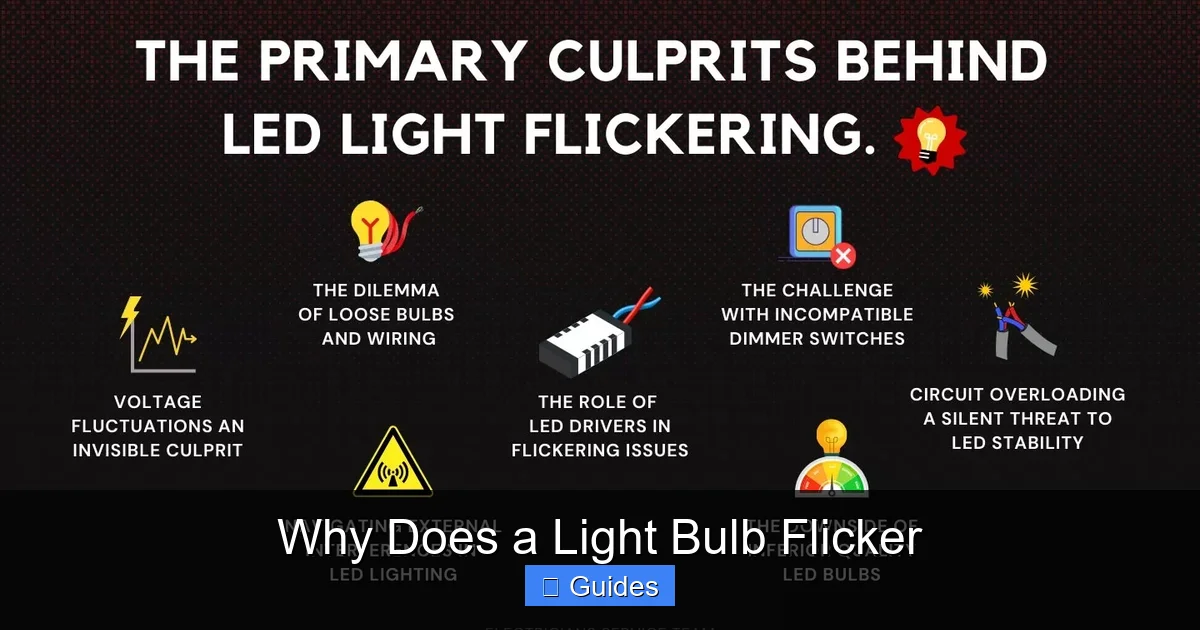
Visual guide about Why Does a Light Bulb Flicker
Image source: electriciansserviceteam.com
Loose Connections (in the Socket)
This is probably the number one reason why a light bulb flickers. If the bulb isn’t screwed in tightly enough, it might not be making full contact with the electrical terminal in the socket. This intermittent connection causes the power supply to cut in and out rapidly, leading to a flicker.
Quick Fix:
1. Turn off the light switch.
2. Carefully twist the bulb clockwise until it’s snug. Don’t overtighten it, as this can damage the socket or the bulb.
3. Turn the light back on. If it’s still flickering, turn it off again and proceed to the next step.
Faulty or Aging Bulbs
Just like everything else, light bulbs have a lifespan. As they near the end of their useful life, their internal components can degrade, leading to inconsistent performance, including flickering. This is especially true for older incandescent bulbs where the filament might be wearing thin, or CFLs and LEDs where internal drivers or electronic components can fail.
- Incandescent Bulbs: The filament can get weak or damaged, causing it to glow erratically before eventually burning out.
- CFL Bulbs: These bulbs rely on a ballast to regulate current. A failing ballast can cause a light bulb flicker or slow start-up.
- LED Bulbs: While durable, LEDs can flicker if their internal driver (which converts AC to DC power) is faulty, if they’re overheating, or if they’re simply a low-quality bulb.
Quick Fix: Simply replace the bulb with a new one. This often resolves the flickering instantly.
Incompatible Dimmers or Switches
Dimmer switches work by rapidly turning the power on and off at a rate imperceptible to the human eye, effectively reducing the overall power supplied to the bulb and thus its brightness. However, not all bulbs are designed for dimming, and not all dimmers are compatible with all bulb types.
- Incandescent Dimmers with LEDs/CFLs: An old dimmer designed for incandescent bulbs might not work well with modern LED or CFL bulbs. These older dimmers require a minimum wattage load to function correctly. LEDs and CFLs draw much less power, which can lead to flickering or poor dimming performance.
- Non-Dimmable Bulbs: Some LED and CFL bulbs are specifically labeled “non-dimmable.” Using these with a dimmer switch will almost certainly cause a light bulb flicker, humming, or even damage to the bulb.
- Faulty Switch: Sometimes, the dimmer switch itself, or even a regular on/off switch, can be faulty. Worn internal components or loose connections within the switch can cause intermittent power, leading to flickering.
Quick Fix:
1. If using a dimmer, ensure your bulbs are explicitly labeled “dimmable” and compatible with the type of dimmer you have (e.g., LED-compatible dimmer).
2. Consider replacing an old dimmer switch with a new, universally compatible LED dimmer.
3. If it’s a regular switch, try bypassing it if possible (with power off at the breaker!) to see if the flicker stops. If it does, replace the switch.
Voltage Fluctuations and Bulb Type
Different types of bulbs react differently to minor voltage fluctuations in your home’s electrical system. Incandescent bulbs, for instance, are fairly forgiving, their filament simply glows a bit dimmer or brighter. However, CFLs and especially LEDs, which rely on more sensitive electronic drivers, can be more prone to showing a light bulb flicker when voltage isn’t perfectly stable.
Even small drops or surges in voltage, perhaps caused by another appliance drawing significant power, can be enough to trigger a flicker in sensitive LED lighting. It’s a common issue that often goes unnoticed with older bulb types but becomes apparent with newer technology.
Beyond the Bulb: Wiring and Fixture Issues
If swapping bulbs and checking dimmers doesn’t solve why your light bulb flickers, the problem might be deeper within your electrical system. These issues can be more serious and often warrant caution or professional help.
Loose Wiring (within the Fixture or Wall)
Just like a loose bulb, loose wiring anywhere in the circuit can interrupt the flow of electricity. This could be at the fixture itself (where the wires connect to the socket), inside the wall switch box, or even at an electrical junction box. Over time, vibrations, temperature changes, or improper installation can cause wire nuts to loosen or terminal screws to back out.
Warning: Troubleshooting loose wiring requires turning off the power at the circuit breaker and, if you’re not comfortable working with electrical wiring, it’s best left to a qualified electrician.
Old or Damaged Wiring
Homes with very old wiring (e.g., knob and tube, or aluminum wiring that hasn’t been properly mitigated) are more prone to electrical issues. Old wiring can degrade, become brittle, or suffer damage over decades. This degradation can lead to increased resistance, intermittent connections, and ultimately, a light bulb flicker.
Rodent damage, nails piercing through wires, or even water damage can also compromise wiring integrity. This isn’t just a flickering nuisance; it can be a significant fire hazard.
Overloaded Circuits
When too many high-power devices are plugged into and operating on a single electrical circuit, it can draw more current than the circuit is designed to handle. This “overload” can cause voltage drops throughout the circuit, leading to lights flickering, dimming, or even breakers tripping.
Think about plugging in a microwave, a toaster, and a coffee maker into outlets on the same circuit simultaneously. The sudden high demand can cause lights on that circuit to flicker momentarily. If you notice flickering when a specific appliance turns on, you might have an overloaded circuit.
Faulty Fixtures
Sometimes the problem isn’t the bulb or the wall wiring, but the light fixture itself. Corroded sockets, loose internal wiring within the fixture, or a failing ballast (common in fluorescent fixtures) can all cause a light bulb flicker. Overheating can also be a sign of a faulty fixture, especially if a higher wattage bulb than recommended is used.
Inspection Tip: With the power off, carefully examine the socket for discoloration, damage, or loose components. If you notice any, the fixture might need repair or replacement.
External Factors: When the Problem Isn’t Just Yours
Sometimes, the mystery of why your light bulb flickers extends beyond your immediate home wiring. External factors can also play a role.
Power Grid Issues
If all the lights in your home (or even your entire neighborhood) are flickering simultaneously, it’s a strong indicator that the problem lies with your utility company’s power grid. This can be due to fluctuations in voltage supplied to your area, issues at a local substation, or problems with utility lines.
These issues are usually temporary and affect a wider area. If it persists, you should contact your power company.
Large Appliance Interference
Have you ever noticed your lights briefly dim or flicker when a large appliance, like a refrigerator, air conditioner, or washing machine, kicks on? These appliances draw a significant amount of power upon startup, which can cause a momentary dip in voltage throughout your home’s electrical system, especially if they’re on the same circuit as your lights. This isn’t usually a cause for major concern, but consistent, severe dimming could indicate an overloaded circuit or inadequate wiring.
Weather-Related Issues
Severe weather can impact your power supply. High winds can cause power lines to sway and make intermittent contact, leading to temporary flickering. Lightning strikes, even if not directly hitting your home, can cause surges and dips in the local power grid. If flickering coincides with stormy weather, it’s likely an external factor that will resolve once the weather clears.
Troubleshooting Your Flickering Light: A Step-by-Step Guide
Now that you know the common reasons why a light bulb flickers, here’s a systematic approach to diagnose and hopefully fix the issue.
Safety First!
Before touching any electrical component beyond the light bulb itself, always turn off the power to the affected fixture or circuit at your electrical breaker panel. This is crucial to prevent electrical shock. Use a voltage tester to confirm the power is off before proceeding with any inspection or repair.
Check the Bulb
- Tighten: Turn off the light, then carefully tighten the bulb in its socket. Turn the light back on.
- Replace: If tightening doesn’t help, turn off the light again and replace the bulb with a new, known-good bulb (preferably one that has worked reliably in another fixture). Turn the light back on.
Inspect the Fixture
If a new bulb still flickers:
- Power Off: Turn off power to the circuit at the breaker.
- Socket Inspection: Carefully examine the bulb socket. Look for any bent metal tabs inside that make contact with the bulb’s base. Gently bend them outwards (with power off!) to ensure better contact.
- Fixture Wiring: If comfortable, carefully remove the fixture’s cover and inspect the wiring connections. Look for any loose wires or discolored insulation. If you find loose wires, carefully re-secure them (or call an electrician if unsure).
Test the Circuit
If the fixture seems fine:
- Check Other Lights: Do other lights on the same circuit flicker? If so, the problem might be further back in the wiring or at the circuit breaker.
- Circuit Breaker: Locate the circuit breaker for the affected circuit. Ensure it’s fully “on” and hasn’t partially tripped. If it looks like it’s between “on” and “off,” flip it firmly to “off” and then back to “on.”
- Overload Test: Unplug several high-draw appliances from outlets on the same circuit and see if the flickering stops. This can help identify an overloaded circuit.
Monitor for Patterns
Pay attention to when the flickering occurs:
- Does it happen at specific times of day?
- Does it coincide with a large appliance turning on (e.g., HVAC, refrigerator, well pump)?
- Is it only when using a dimmer, or regardless of dimming?
- Does it affect only one light, or many throughout the house?
These observations can provide crucial clues about the underlying cause of why your light bulb flickers.
When to Call an Electrician
It’s always better to be safe than sorry. You should definitely call a qualified electrician if:
- You’ve tried basic troubleshooting and the flickering persists.
- You notice burning smells, scorching, or buzzing sounds from switches, outlets, or fixtures.
- Flickering is widespread across multiple lights or circuits in your home.
- Your circuit breakers are frequently tripping.
- You have old, questionable wiring (e.g., aluminum wiring, knob-and-tube).
- You’re uncomfortable working with electrical wiring yourself.
An electrician can safely diagnose complex wiring issues, overloaded panels, or main service problems that could be causing your light bulb flicker and pose a hazard.
Preventing Future Flickers
While some flickering is unavoidable due to external factors, there are steps you can take to minimize the chances of your light bulb flickering.
Choose Quality Bulbs
Invest in reputable brands for your LED and CFL bulbs. Cheaper bulbs may have lower-quality internal drivers that are more susceptible to voltage fluctuations and can fail sooner, leading to a light bulb flicker.
Use Compatible Dimmers
If you’re using LED or CFL bulbs, ensure your dimmer switches are designed for them. Look for “LED compatible” or “universal” dimmers and make sure the bulbs themselves are labeled “dimmable.”
Regular Electrical Check-ups
For older homes, consider having a qualified electrician perform a periodic electrical inspection. They can identify potential issues like aging wiring, loose connections, or an overloaded panel before they lead to serious problems or consistent light bulb flicker.
Be Mindful of Appliance Loads
Try to distribute your high-power appliances across different circuits in your home. Avoid running multiple large appliances (like a vacuum cleaner, hair dryer, and microwave) on the same circuit simultaneously to prevent overloading and voltage drops that can cause lights to flicker.
By understanding why a light bulb flickers and taking proactive steps, you can ensure your home remains safely and brightly lit, free from annoying interruptions. Remember, when in doubt, call a professional!
Conclusion
A flickering light bulb is more than just an annoyance; it’s your home trying to tell you something. From simple fixes like tightening a bulb or replacing an old one, to more complex issues involving wiring, fixtures, or even your home’s main electrical service, understanding the root cause is the first step toward a solution. We’ve explored common culprits, delved into more serious underlying problems, and provided a clear, step-by-step guide to troubleshooting. Always prioritize safety by turning off power at the breaker before investigating electrical components.
While many flickering issues can be resolved with a bit of DIY detective work, don’t hesitate to call a qualified electrician if you’re uncomfortable, unsure, or suspect a more serious problem. Your peace of mind, and the safety of your home, are worth it. So go ahead, tackle that flicker, and enjoy steady, reliable light once more!
Frequently Asked Questions
Does a flickering bulb mean it’s about to die?
Often, yes. For incandescent bulbs, a flickering filament is a classic sign of impending burnout. For CFLs and LEDs, flickering can indicate that the internal ballast or driver is failing, meaning the bulb’s lifespan is coming to an end. Replacing the bulb is usually the first step to take.
Can external power issues cause lights to flicker?
Yes, they can. Sometimes, the problem isn’t within your home’s wiring. Fluctuations in the main power grid supplied by your utility company, or even temporary dips caused by large appliances starting up in your neighborhood, can cause lights to flicker. If all your lights flicker simultaneously, it’s often an external issue.
Is it bad to leave a flickering light on?
It’s generally not recommended to leave a constantly flickering light on. While minor flickering might just be an annoyance, persistent flickering can indicate a loose connection or an overloaded circuit, which could potentially generate heat and pose a fire risk. It’s best to address the issue or turn off the light until it’s fixed.
Can temperature affect how a light bulb flickers?
Yes, especially for certain bulb types. Cold temperatures can sometimes cause fluorescent and CFL bulbs to flicker or take longer to start up as the internal gases take time to warm. While less common for LEDs in typical indoor temperatures, extreme heat can sometimes affect their internal drivers, potentially causing a flicker.
My new LED bulb flickers, but the old one didn’t. Why?
Newer LED bulbs are much more sensitive to subtle voltage variations and dimmer compatibility issues than older incandescent bulbs. Your old bulb might have been more forgiving. Ensure your LED bulb is dimmable if used with a dimmer, and that the dimmer itself is rated for LED use. Also, check for loose connections in the fixture.
What’s the difference between a light flickering and dimming?
Flickering implies a rapid, on-off or bright-dim cycle, often inconsistent and quick. Dimming, on the other hand, is usually a more gradual and consistent reduction in brightness. While flickering can sometimes be a severe form of dimming, flickering typically indicates a more intermittent power supply issue, whereas consistent dimming across multiple lights might point to a broader voltage drop or overloaded circuit.
