


As an Amazon Associate, We earn from qualifying purchases.
A Wi-fi light bulb is a revolutionary smart lighting device that connects directly to your home’s Wi-fi network, allowing you to control your lights wirelessly from anywhere. This innovative technology brings convenience, energy efficiency, and customizable ambiance right to your fingertips, transforming how you interact with your home lighting. It’s a simple upgrade that opens up a world of smart possibilities.
Remember a time when turning on a light meant simply flipping a switch on the wall? It was a simple, mechanical act, something you likely never gave a second thought. But what if we told you that the humble light bulb has undergone a monumental transformation, stepping out of the shadows and into the brilliant world of smart technology? Welcome to the era of the Wi-fi light bulb – a little gadget that’s big on convenience and smart functionality.
You’ve probably heard the buzz about smart homes, where everything from your thermostat to your doorbell can be controlled with a tap on your phone or a simple voice command. And guess what? Lighting is often one of the first and most impactful steps people take on their smart home journey. At the heart of this revolution is the Wi-fi light bulb, a device that doesn’t just illuminate your room, but empowers you to control your home’s ambiance in ways you never imagined.
This isn’t just about turning lights on and off remotely; it’s about setting the perfect mood, saving energy, enhancing security, and even making your daily routines a little bit smoother. So, if you’re curious about what a Wi-fi light bulb is, how it works, and why it might just be the next best thing for your home, you’re in the right place. Let’s shed some light on this fascinating piece of smart home tech!
Key Takeaways
- Direct Wi-Fi Connection: Unlike other smart bulbs that need a separate hub, a Wi-fi light bulb connects directly to your home’s Wi-Fi network, simplifying setup and control.
- Remote Control and Automation: Manage your lighting from anywhere using a smartphone app or voice commands, set schedules, and create custom scenes for different moods or activities.
- Enhanced Convenience and Ambiance: Easily adjust brightness, change colors (on RGB models), and create dynamic lighting effects, making your home more comfortable and personalized.
- Energy Efficiency: Most Wi-fi light bulbs are LEDs, consuming significantly less energy and lasting much longer than traditional incandescent bulbs, leading to cost savings.
- Smart Home Integration: Seamlessly integrate with popular smart home platforms like Amazon Alexa, Google Assistant, and Apple HomeKit, enabling complex routines and synchronized control with other smart devices.
- Easy Installation: Installing a Wi-fi light bulb is as simple as screwing in a regular bulb, with the main setup involving connecting it to your Wi-Fi network via a companion app.
- Potential Considerations: While convenient, Wi-fi bulbs rely on a stable Wi-Fi connection and may present minor privacy considerations, which are easily managed with proper security practices.
Quick Answers to Common Questions
Do Wi-fi light bulbs need a hub?
No, a Wi-fi light bulb connects directly to your home’s Wi-Fi network, eliminating the need for a separate hub or bridge for basic control.
Can I control a Wi-fi light bulb when I’m away from home?
Yes, as long as your Wi-Fi light bulb is connected to the internet and your smartphone has an internet connection, you can control your lights remotely from anywhere in the world via its companion app.
Are Wi-fi light bulbs energy efficient?
Absolutely! Most Wi-fi light bulbs are LED-based, making them significantly more energy-efficient and longer-lasting than traditional incandescent bulbs, leading to notable energy savings.
What is the difference between a Wi-fi light bulb and a Bluetooth light bulb?
A Wi-fi light bulb connects to your home’s Wi-Fi network for control from anywhere, while a Bluetooth light bulb connects directly to your phone via Bluetooth and can only be controlled when you are within close range of the bulb.
Can Wi-fi light bulbs be used with a regular light switch?
Yes, you can use a Wi-fi light bulb with a regular on/off light switch. However, leaving the switch off will cut power to the bulb, meaning you won’t be able to control it via the app or voice commands until the switch is turned back on.
📑 Table of Contents
- What Exactly Is a Wi-fi Light Bulb?
- How Do Wi-fi Light Bulbs Work?
- The Benefits of Embracing Wi-fi Lighting
- Setting Up Your Wi-fi Light Bulbs: A Step-by-Step Guide
- Choosing the Right Wi-fi Light Bulb for Your Home
- Potential Downsides and Considerations
- Conclusion: Illuminating the Future of Your Home
What Exactly Is a Wi-fi Light Bulb?
At its core, a Wi-fi light bulb is an LED light bulb with a brain. This “brain” is a small, built-in Wi-Fi chip that allows the bulb to connect directly to your home’s wireless internet network. Think of it as giving your light bulb its own internet access. Once connected, it can communicate with your smartphone, tablet, or smart home hub, giving you unprecedented control.
Beyond the Traditional Bulb
Regular light bulbs are simple: electricity goes in, light comes out. A Wi-fi light bulb takes that basic function and adds layers of intelligence. Instead of just “on” or “off,” you get a spectrum of possibilities. You can dim the lights to create a cozy atmosphere for movie night, brighten them up for reading, or even change their color to match your mood or décor.
Distinguishing Wi-Fi from Other Smart Bulbs
It’s important to note that not all smart bulbs are Wi-fi light bulbs. Some smart lighting systems use different communication protocols like Zigbee or Z-Wave. These often require a central “hub” or “bridge” that plugs into your router and acts as a translator between your bulbs and your Wi-Fi network. While these hub-based systems can be great for larger installations, a Wi-fi light bulb offers a simpler, more direct approach for many users. You screw it in, connect it to your existing Wi-Fi, and you’re good to go. No extra hardware needed for basic control!
How Do Wi-fi Light Bulbs Work?
Understanding the magic behind a Wi-fi light bulb is simpler than you might think. It’s all about connectivity and communication. Let’s break down the process step by step.
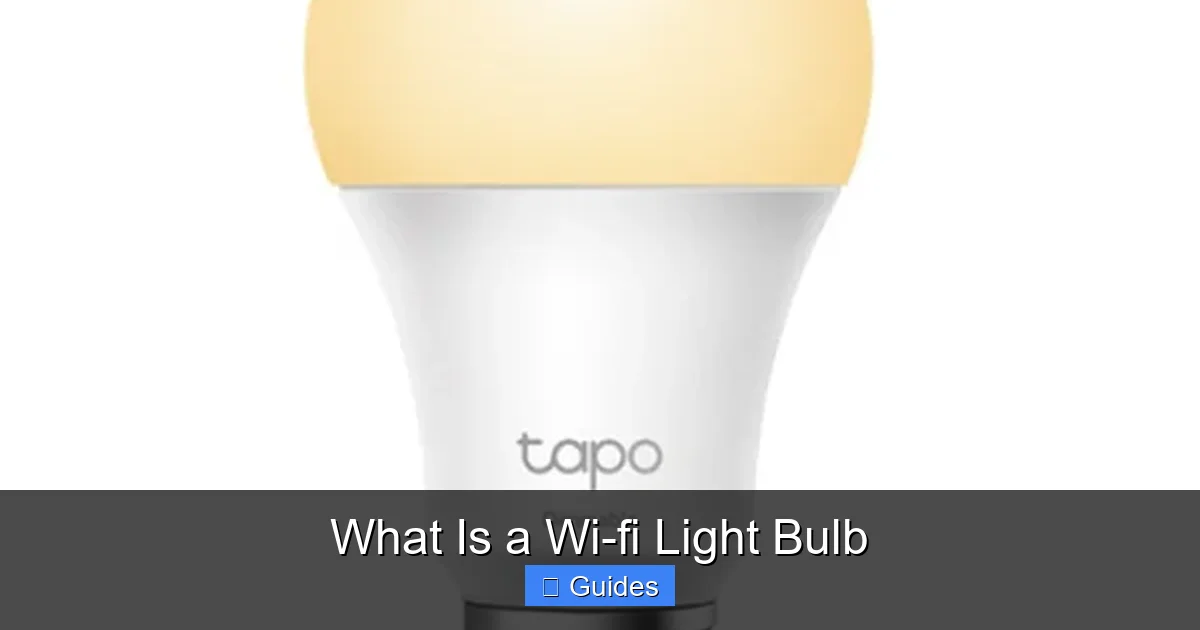
Visual guide about What Is a Wi-fi Light Bulb
Image source: mcc-jo.com
The Internal Components
Inside every Wi-fi light bulb, you’ll find a few key components beyond the LED lights themselves. The most crucial is the miniature Wi-Fi module. This chip allows the bulb to detect and connect to your home’s 2.4GHz Wi-Fi network (most smart home devices use this frequency because of its better range and penetration through walls, compared to 5GHz). There’s also a micro-controller that processes commands and manages the bulb’s functions, like dimming and color changes, as well as an LED driver that efficiently powers the light-emitting diodes.
Connecting to Your Home Network
When you first set up a new Wi-fi light bulb, you’ll usually download a dedicated app from the manufacturer onto your smartphone. This app guides you through a pairing process. Typically, the bulb will enter a “pairing mode” (often indicated by flashing lights). Your phone’s app then uses your Wi-Fi network to discover the bulb and securely connect it to your home’s Wi-Fi. Once connected, the bulb receives a unique IP address, allowing it to communicate with the internet and other devices on your network.
App Control and Cloud Services
After successful pairing, your smartphone app becomes the command center for your Wi-fi light bulb. When you tap a button in the app – say, to turn off a light – that command travels from your phone, through your home Wi-Fi network (and often through the manufacturer’s cloud servers for remote access), directly to the light bulb. The bulb then executes the command instantly. This cloud connection is what allows you to control your lights even when you’re away from home, as long as both your phone and the bulb have internet access.
Voice Assistant Integration
One of the most exciting features of a Wi-fi light bulb is its seamless integration with voice assistants like Amazon Alexa, Google Assistant, and Apple HomeKit (Siri). Once you link your bulb’s manufacturer account to your preferred voice assistant, you can control your lights with simple voice commands. Imagine walking into a room and saying, “Alexa, turn on the living room lights,” or “Hey Google, dim the kitchen lights to 50%.” It’s incredibly convenient and feels wonderfully futuristic.
The Benefits of Embracing Wi-fi Lighting
Beyond the “wow” factor, Wi-fi light bulbs offer a host of practical benefits that can significantly improve your home life, comfort, and even your wallet.
Unparalleled Convenience and Control
The days of getting up to flip a switch are over! With a Wi-fi light bulb, you can control your lights from anywhere – whether you’re on the couch, in another room, or even across town. Forgot to turn off the bedroom light? No problem, just open the app. Coming home to a dark house? Turn on the lights before you even step inside. This remote access is a game-changer for daily living.
- Remote Management: Control lights from your phone, even when you’re not home.
- Scheduling: Set lights to turn on and off at specific times, perfect for waking up naturally or making it look like someone’s home.
- Automation: Create routines so lights react to other events, like turning on when you arrive home or when a smart sensor detects motion.
Customizable Ambiance and Mood Setting
This is where Wi-fi light bulbs really shine (pun intended!). Many Wi-fi light bulbs offer a full spectrum of colors (RGB) and tunable white light (from warm yellow to cool blue). This means you can:
- Adjust Brightness: Easily dim or brighten lights to suit any activity or time of day.
- Change Colors: Transform a room’s mood with a tap, from vibrant party colors to calming blues or reds.
- Create Scenes: Save specific brightness and color settings as “scenes” – think “Movie Night” (dim, warm light), “Reading” (bright, cool white), or “Party Time” (dynamic, changing colors).
Energy Efficiency and Cost Savings
Most Wi-fi light bulbs are built using LED technology, which is inherently energy-efficient. Compared to traditional incandescent bulbs, LEDs use up to 90% less energy and last significantly longer (often 15-25 years). This means lower electricity bills and less frequent bulb replacements. Plus, the ability to dim lights or ensure they’re off when not needed further enhances energy savings. Some apps even provide energy usage tracking, so you can see your savings in action.
Enhanced Home Security
Wi-fi light bulbs can play a role in making your home more secure. By scheduling lights to turn on and off at various times, even when you’re away, you can create the illusion that your home is occupied. This “away mode” can be a powerful deterrent to potential intruders. Some systems can even integrate with motion sensors, triggering lights to come on if unexpected movement is detected.
Seamless Smart Home Integration
A Wi-fi light bulb isn’t just a standalone gadget; it’s a team player. They easily integrate into larger smart home ecosystems. This means you can create complex routines where your lights work in harmony with other smart devices:
- Turn off all lights when your smart lock is engaged.
- Have the bedroom lights slowly brighten as your smart alarm clock goes off.
- Flash specific lights if your smoke detector goes off.
Setting Up Your Wi-fi Light Bulbs: A Step-by-Step Guide
Getting your new Wi-fi light bulb up and running is typically a straightforward process, designed to be user-friendly even for smart home novices. Here’s a general guide:
Step 1: Install the Bulb Physically
First things first, make sure the power to the light fixture is off. Then, simply screw in your new Wi-fi light bulb just like you would any traditional bulb. Once it’s securely in place, turn the power back on at the switch. The bulb will usually light up at full brightness, indicating it’s ready for setup.
Step 2: Download the Companion App
Each Wi-fi light bulb brand will have its own dedicated smartphone app (e.g., Philips Hue, Meross, Kasa Smart). Head to your device’s app store (App Store for iOS, Google Play Store for Android), search for the brand’s app, and download it. You’ll likely need to create an account within the app, which will be essential for controlling your lights and accessing cloud features.
Step 3: Connect to Your Wi-Fi Network
Open the app and follow the on-screen instructions to add a new device. The app will guide you through connecting the bulb to your home’s Wi-Fi. This usually involves:
- Putting the bulb into pairing mode (often by repeatedly turning it off and on at the switch).
- Selecting your home’s 2.4GHz Wi-Fi network from a list.
- Entering your Wi-Fi password.
It’s crucial to ensure your phone is also connected to the 2.4GHz network during this setup phase, as many smart bulbs are not compatible with 5GHz Wi-Fi.
Step 4: Name and Organize Your Lights
Once connected, the app will prompt you to give your Wi-fi light bulb a name (e.g., “Living Room Lamp,” “Kitchen Overhead”). This is incredibly important for easy control, especially if you plan to use voice commands. You can also group multiple bulbs into “rooms” or “zones” for simultaneous control (e.g., “all living room lights”).
Step 5: Integrate with Voice Assistants (Optional but Recommended)
If you have an Amazon Echo, Google Home, or Apple HomePod, open their respective apps (Alexa, Google Home, Apple Home) and look for the “Skills,” “Works with Google,” or “Add Accessory” sections. Search for your Wi-fi light bulb brand’s integration and link your accounts. Once linked, you can start using voice commands!
Troubleshooting Common Issues
Sometimes, setup isn’t perfectly smooth. Common issues include:
- 2.4GHz vs. 5GHz Wi-Fi: Ensure your router supports 2.4GHz and that your phone is connected to it during setup.
- Weak Wi-Fi Signal: If the bulb is far from your router, consider a Wi-Fi extender.
- Incorrect Pairing Mode: Double-check the manufacturer’s instructions for putting the bulb into pairing mode.
- Router Settings: Occasionally, router security settings might need adjustments, though this is less common for basic setup.
Choosing the Right Wi-fi Light Bulb for Your Home
With so many options on the market, picking the perfect Wi-fi light bulb can feel a bit overwhelming. Here’s what to consider to make an informed decision:
Compatibility with Your Ecosystem
This is often the most important factor. If you already have a smart home ecosystem (e.g., primarily use Alexa, Google Assistant, or Apple HomeKit), choose bulbs that are explicitly compatible. Some brands are more open than others. While many Wi-fi light bulbs work with the major voice assistants, cross-compatibility with other smart devices (like smart plugs or thermostats) might vary.
Features: Color, Brightness, and Dimmability
- Color vs. White: Do you need vibrant colors for parties and mood lighting, or are you happy with just adjustable white light? RGB (Red, Green, Blue) bulbs offer millions of colors, while tunable white bulbs let you adjust warmth (from cool to warm white).
- Brightness (Lumens): Look at the lumens (lm) rating, not just wattage. A higher lumen count means a brighter bulb. A typical 60-watt incandescent bulb equivalent is around 800 lumens.
- Dimmability: All smart bulbs are dimmable, but check how smoothly they dim and if they can go to very low levels without flickering.
Bulb Shape and Socket Type
Wi-fi light bulbs come in various shapes (standard A19, candelabra B10, floodlight BR30/PAR38, etc.) and socket types (E26/E27 for standard screw-in, GU10 for spotlights, etc.). Make sure the bulb you choose fits your existing fixtures.
Cost vs. Value
Wi-fi light bulbs are generally more expensive than traditional LEDs, but the price has come down considerably. Consider your budget, but also factor in the long-term energy savings and enhanced functionality. Sometimes, a slightly pricier bulb from a reputable brand might offer better app features, faster response times, or superior build quality.
Security and Privacy Considerations
Since these bulbs connect to your home network and often to cloud services, it’s wise to consider their security. Choose reputable brands known for good security practices. Ensure you use strong, unique passwords for your Wi-Fi network and smart home accounts. Regularly update the bulb’s firmware through the app to patch any potential vulnerabilities.
Potential Downsides and Considerations
While the advantages of Wi-fi light bulbs are plentiful, it’s also good to be aware of a few potential drawbacks or considerations before diving in.
Reliance on Wi-Fi Connection
The biggest consideration is that a Wi-fi light bulb needs a working Wi-Fi network and internet connection to function optimally. If your Wi-Fi goes down or your internet service is interrupted, you might lose remote control capabilities. Most Wi-fi light bulbs will retain their last setting and can still be turned on/off via the physical wall switch in such scenarios, but you lose the smart features. A slow or unreliable Wi-Fi network can also lead to delayed responses from your bulbs.
Potential for Initial Setup Challenges
While often straightforward, some users might encounter a bit of a learning curve during the initial setup, especially if their Wi-Fi network is complex, or they’re unfamiliar with smart home technology. Issues like connecting to the correct 2.4GHz band or router compatibility can occasionally pop up, requiring a bit of troubleshooting.
Security and Privacy Concerns
Any device connected to your home network and the internet carries a degree of security risk. While reputable manufacturers build security into their products, it’s essential to maintain good digital hygiene: use strong passwords, enable two-factor authentication if available, and keep your bulb’s firmware updated. Less reputable brands might pose greater risks.
Cost Compared to Traditional Bulbs
Even though prices have dropped, a single Wi-fi light bulb is still more expensive upfront than a standard LED bulb. If you’re outfitting an entire home, the initial investment can add up. However, the long-term energy savings and added functionality often justify the cost for many users.
Compatibility with Older Dimmers
Smart Wi-fi light bulbs are designed to be dimmed through their app or voice control, not through traditional in-wall dimmer switches. If you connect a Wi-fi light bulb to an old dimmer switch, it can lead to buzzing, flickering, or even damage to the bulb. It’s best to use them in fixtures with standard on/off switches, or replace old dimmers with smart dimmer switches compatible with smart bulbs.
Conclusion: Illuminating the Future of Your Home
A Wi-fi light bulb is more than just a source of illumination; it’s a gateway to a smarter, more connected, and more personalized home. By offering remote control, customizable ambiance, significant energy savings, and seamless integration with your smart home ecosystem, these clever devices truly transform the way you interact with your living space. They make daily routines easier, enhance security, and create a dynamic environment tailored to your exact preferences.
Whether you’re looking to dip your toes into smart home technology or expand an existing setup, a Wi-fi light bulb offers an accessible and impactful upgrade. While there are a few considerations to keep in mind, the benefits of convenience, efficiency, and comfort far outweigh them for most users. So go ahead, screw in a Wi-fi light bulb, download the app, and prepare to experience your home lighting in a whole new, brilliant way. The future of light is here, and it’s brighter and smarter than ever before!
Frequently Asked Questions
What kind of Wi-Fi network do Wi-fi light bulbs use?
Most Wi-fi light bulbs connect to the 2.4GHz band of your home’s Wi-Fi network. This band offers better range and penetration through walls compared to the 5GHz band, which is why it’s commonly used for smart home devices, though some newer bulbs might support dual-band.
Can I use multiple Wi-fi light bulbs in my home?
Yes, you can use as many Wi-fi light bulbs as your home network can reliably support. Most companion apps allow you to group multiple bulbs into rooms or scenes for easy, simultaneous control, creating a fully integrated smart lighting system.
What happens to a Wi-fi light bulb if the power goes out?
If the power goes out, the Wi-fi light bulb will simply lose power, just like any other light. When power is restored, most Wi-fi light bulbs will default to their last known state (on or off) or a manufacturer-set default (often full brightness white light).
Do Wi-fi light bulbs work with smart assistants like Alexa or Google Assistant?
Yes, a major advantage of Wi-fi light bulbs is their widespread compatibility with popular voice assistants such as Amazon Alexa, Google Assistant, and often Apple HomeKit (Siri). You can link your bulb’s app to your assistant for hands-free control.
Is it difficult to install a Wi-fi light bulb?
No, installing a Wi-fi light bulb is generally very simple. You screw it into a standard light socket, download its dedicated app, and follow the on-screen instructions to connect it to your home’s 2.4GHz Wi-Fi network. The process typically takes only a few minutes.
Can Wi-fi light bulbs save me money on my electricity bill?
Yes, Wi-fi light bulbs are almost always LED bulbs, which consume significantly less power (up to 90% less) than traditional incandescent bulbs. Their smart features, like scheduling and remote turn-off, further help you conserve energy, leading to noticeable savings on your electricity bill over time.
